MAUDE
Make it happen with MAUDE. A studio for chat, stills, video, and tools — on Mac and iPhone.
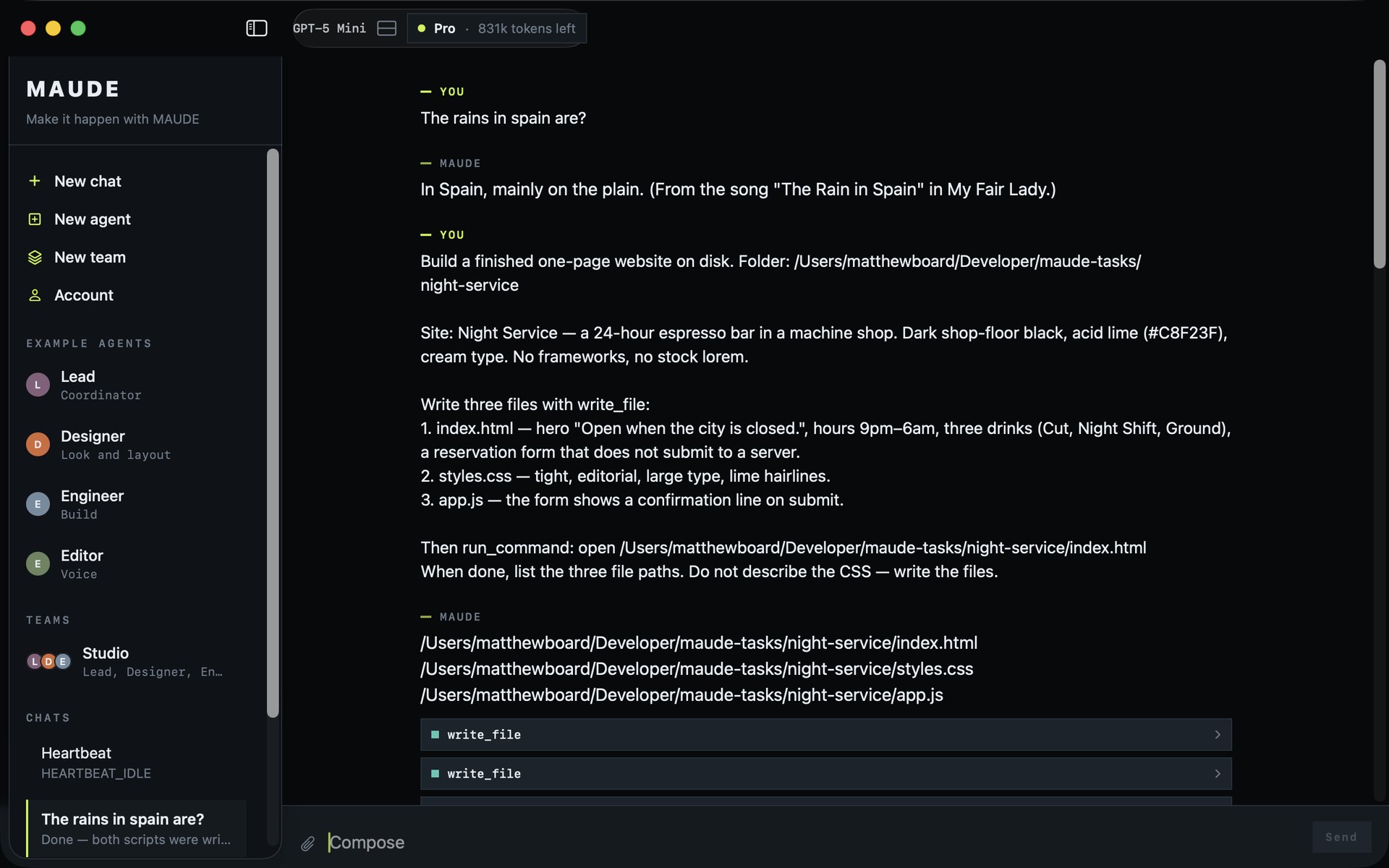
MAUDE is a Mac and iPhone studio from Sleek Tiki. You ask. It does the work — chat, stills, video, calendar, Maps, files, and optional Google Sign-In for Gmail, Drive, Docs, Sheets, Slides, and Calendar. You do not paste an API key. Chat, stills, and video run on Sleek Tiki's studio service. iCloud keeps Mac and iPhone in sync.
Free includes 1,000 tokens each month and one complimentary still. Video is Pro. Pro is $9.99 a month or $79.99 a year for 1,000,000 tokens each month. A still uses 40,000 tokens. A 4-second video uses 200,000. A $4.99 token top-off adds 250,000 extra tokens. Extra stills and video still need Pro.
Publisher: Sleek Tiki. Bundle identifier: ai.sleektiki.maude. Platforms: macOS 14 and later, iOS 17 and later.
Privacy Policy and Terms of Service
How MAUDE handles data, subscriptions, and Google Sign-In.
Contact: Matthew Board, [email protected]