Native iOS & Android Companion App
MAUDE Mobile
A native iOS and Android companion app that connects to MAUDE on the DGX Spark over Tailscale. Provides full voice chat, text conversation, SSH terminal, file management, and a built-in web browser, all routed through a single gateway on port 30000.
Seven modules in one app: AI chat with tool execution, full-duplex voice calls with live waveform visualization using PersonaPlex, SSH terminal via xterm.js over WebSocket PTY, web browser proxied through the Spark, Telegram message viewer, shared file manager with camera upload, and a settings panel with theme switching and model selection.
The retro 80s Amber CRT theme shown here is one of three selectable themes. Built with React, Ionic Capacitor, and Tailwind CSS as a single TypeScript codebase compiled to native iOS and Android apps. Voice uses Opus-encoded audio streaming over WebSocket with scheduled-playback buffering for click-free audio on mobile.
Gallery
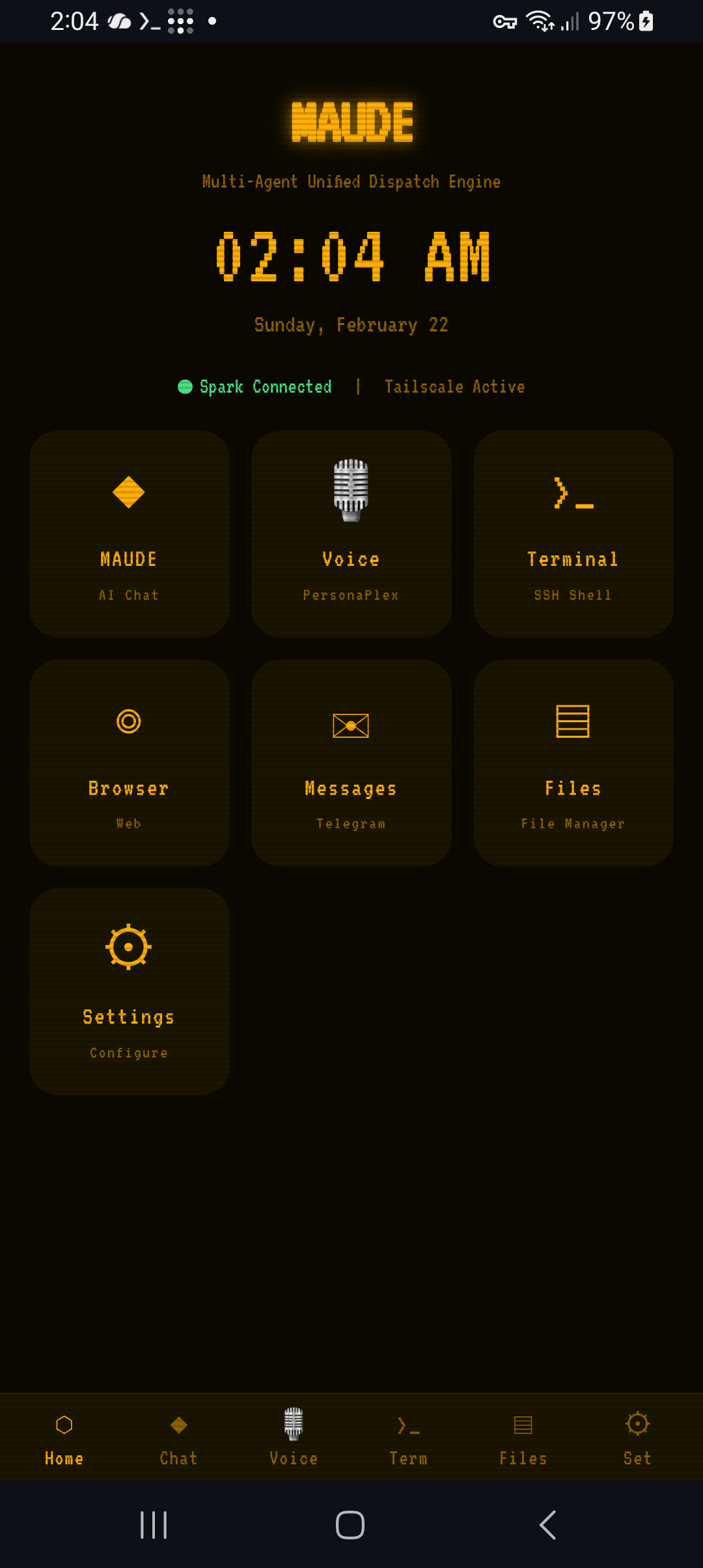
MAUDE Mobile - Home Screen
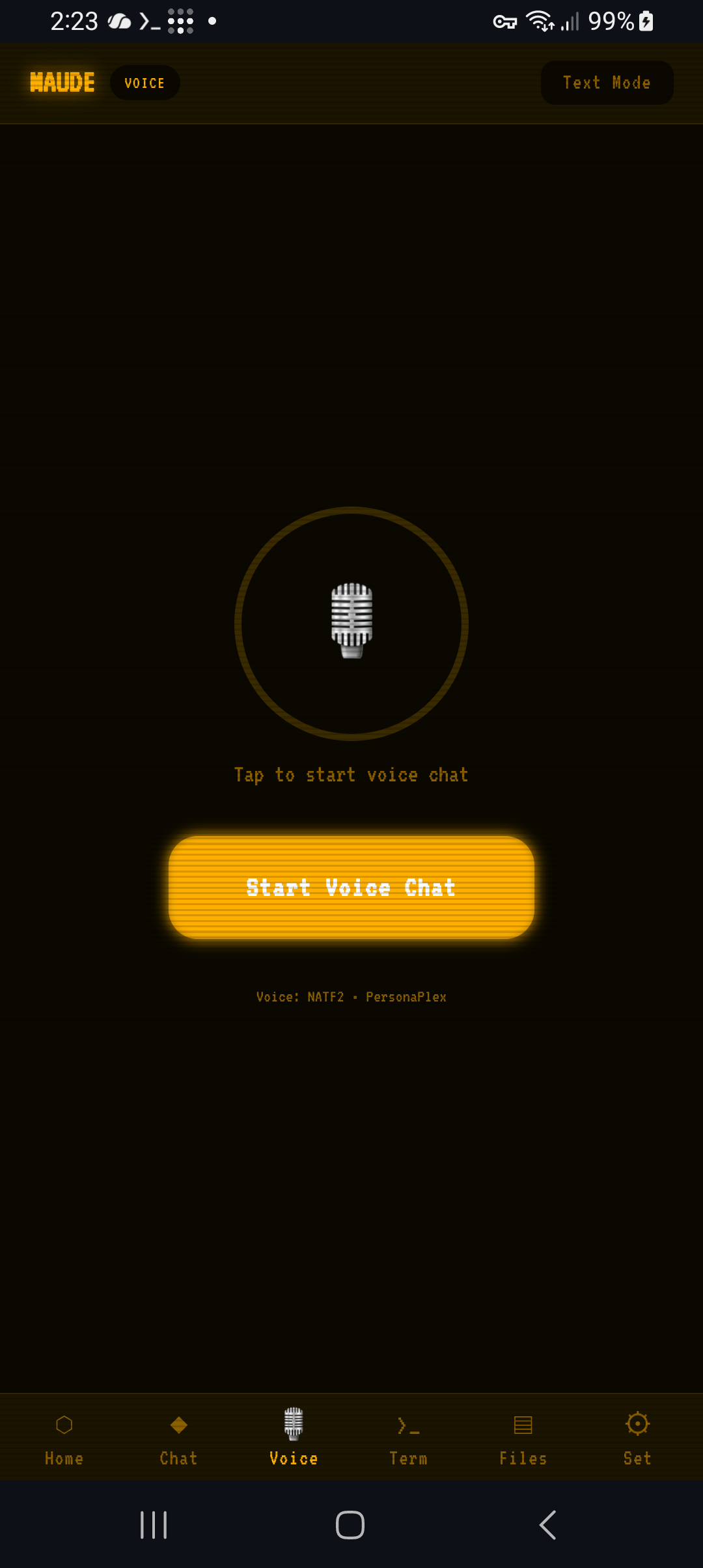
MAUDE Mobile - Voice Chat
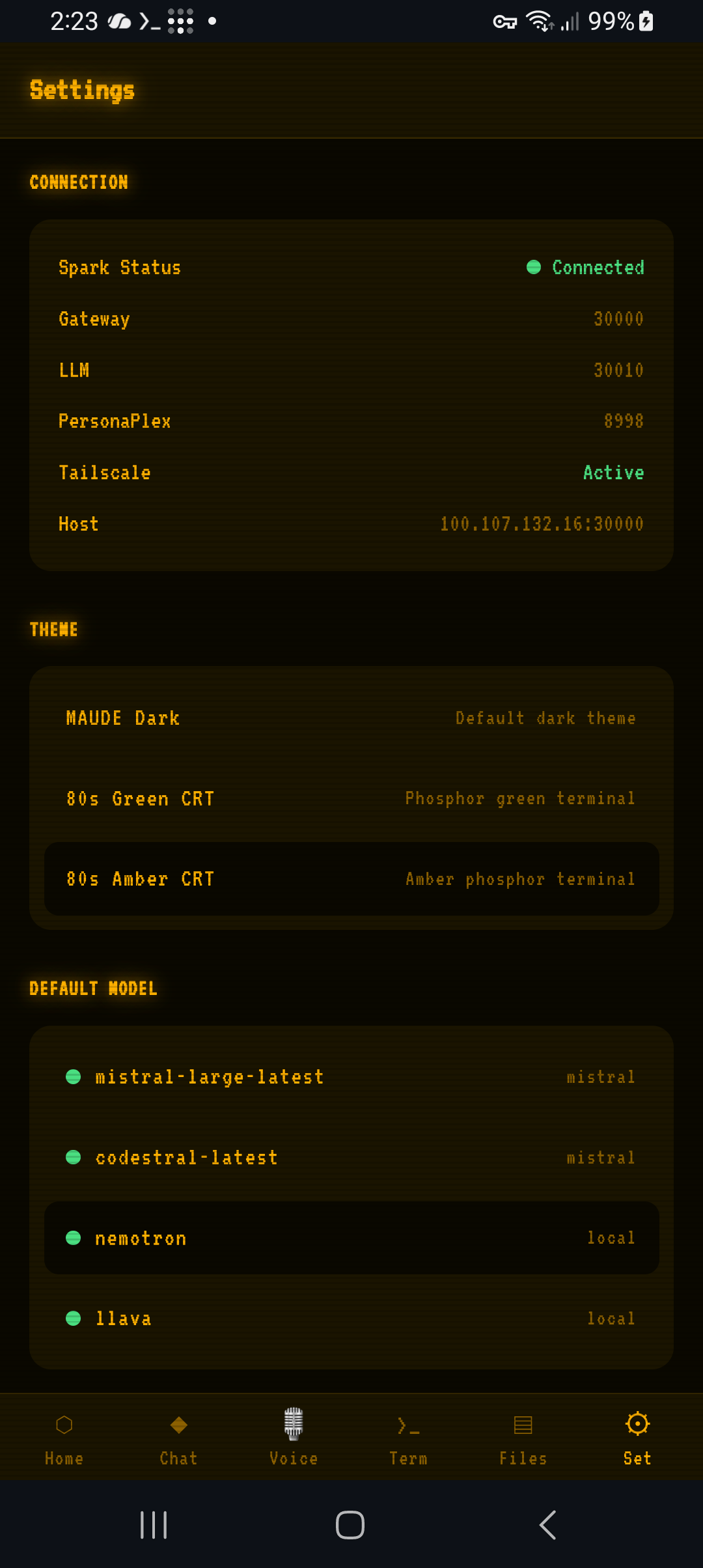
MAUDE Mobile - Settings
Case Study
The Problem
MAUDE runs on a DGX Spark at home, but I need to use it everywhere: from the couch, on a walk, at a coffee shop. SSH into a terminal TUI from a phone is technically possible but terrible UX. And voice interaction, file sharing, and camera integration don't work through a terminal.
Design Challenge
How do you fit seven distinct capabilities (AI chat, voice calls, SSH terminal, web browser, messaging, file management, and system settings) into a single mobile app without it feeling like a Swiss Army knife that does everything poorly? Each module has fundamentally different interaction patterns: chat is conversational, voice is real-time streaming, terminal is keyboard-intensive, files are spatial.
Key Design Decisions
Rather than tabs or a hamburger menu hiding modules, I designed a home screen that surfaces the most-used modules prominently with real-time status indicators (gateway connection, active model, unread messages). Each module opens full-screen with its own optimized UI. The critical decision was making tool execution visible but optional in the chat view. A collapsible trace panel shows what MAUDE is doing (reading files, searching the web, calling APIs) so you understand the AI's reasoning without the noise overwhelming the conversation. For voice, I implemented scheduled-playback buffering with Opus encoding to eliminate the audio clicks that plague WebSocket streaming on mobile.
Outcome
Shipped as a native iOS and Android app from a single TypeScript codebase (React, Ionic Capacitor, Tailwind). Three selectable themes including an 80s Amber CRT mode. Full remote access to every MAUDE capability from a phone over Tailscale VPN.
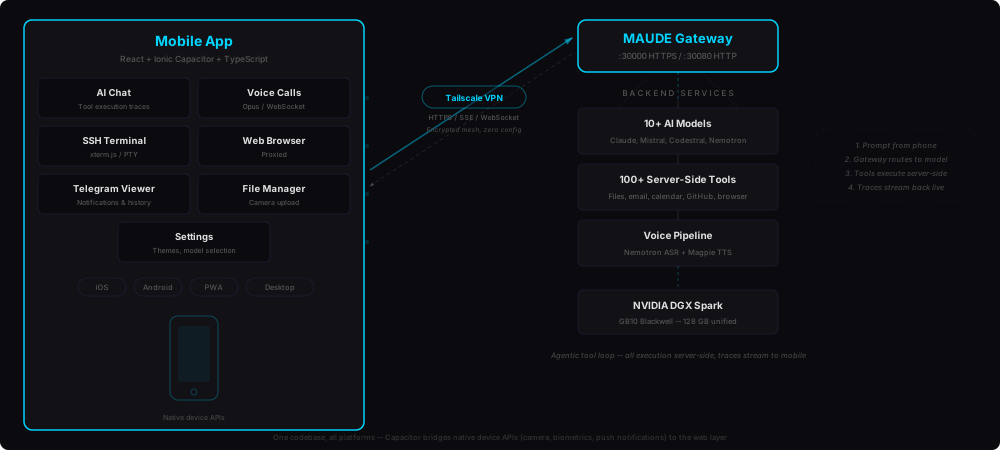
System Architecture
Technical Highlights
Voice Chat
Full-duplex voice conversation via PersonaPlex. Opus-encoded audio streams over WebSocket with scheduled-playback buffering for click-free audio on mobile. Supports camera capture during calls. LLaVA analyzes the photo and the voice session reconnects with image context injected into the prompt.
Gateway Proxy
A single Python HTTP server on port 30000 routes all traffic: multi-model LLM requests (Mistral, Codestral, Nemotron, LLaVA), WebSocket proxying for terminal and voice, file upload/download, image analysis via the /api/analyze-image endpoint, and static PWA hosting.
SSH Terminal
Full terminal access via xterm.js running over a WebSocket PTY connection. Run commands, edit files, and manage the DGX Spark directly from the phone.
File Manager
Browse, upload, and download files on the Spark. Camera integration lets you snap a photo and upload it directly. Shared storage accessible from all MAUDE interfaces.