UE5 Editor Plugin — AI-Generated Input Systems
Input Streamliner
An Unreal Engine 5 editor plugin that generates complete multiplatform input configurations from natural language descriptions using a local Ollama LLM. Describe your controls conversationally and get a full input system — keyboard, mouse, gamepad, and mobile touch — with one click.
Supports PC, gamepad, Mac, iOS, and Android platforms including mobile touch inputs like virtual joysticks, swipe zones, and gesture detection. Auto-configures dead zones, triggers, and axis modifiers. Generated Input Actions include runtime rebinding with JSON persistence and conflict detection.
The plugin runs entirely local via Ollama — no API keys or cloud dependency. Pick from any available model, describe the controls you need in plain English, and the plugin generates Input Actions with all bindings and settings automatically configured.
Gallery
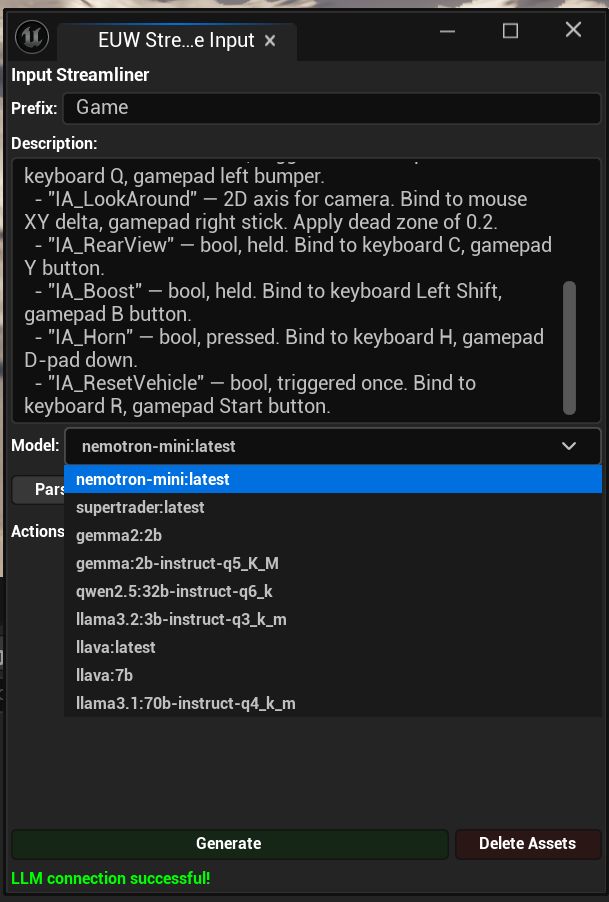
Input Streamliner — Model Selection
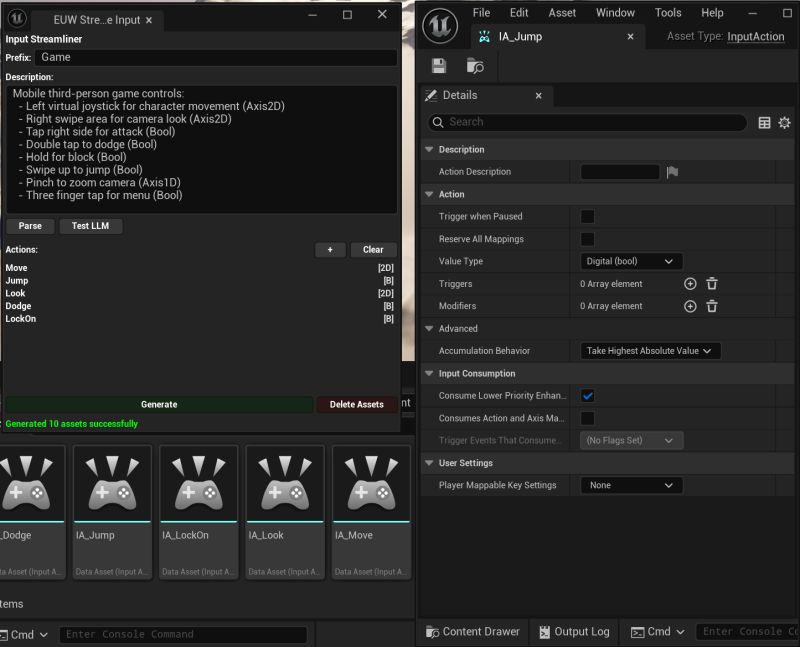
Input Streamliner — Generated Actions & Settings
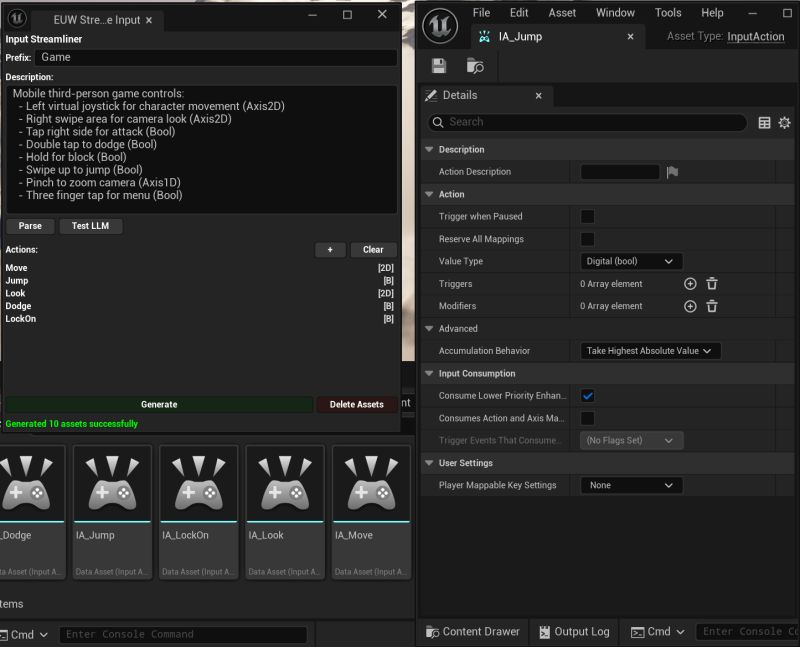
Input Streamliner — Generated Output
Case Study
The Problem
Setting up input bindings in Unreal Engine 5 is tedious and error-prone. The Enhanced Input system is powerful but requires manually creating Input Actions, configuring value types, adding per-platform bindings, setting dead zones, triggers, and modifiers for every action, on every platform. A typical third-person game might need 15-20 actions across keyboard, mouse, gamepad, and mobile touch. That's hours of clicking through property panels, and one wrong value type or missing dead zone creates bugs that are hard to track down.
Design Challenge
How do you let a developer describe what they want in plain language and get a correctly configured input system without the LLM hallucinating invalid UE5 settings? Unreal's Enhanced Input has strict requirements: value types must match (bool vs. axis2D vs. axis3D), triggers have specific valid combinations, and mobile touch inputs need different modifier stacks than gamepad. An LLM that doesn't understand these constraints will generate broken configs.
Key Design Decisions
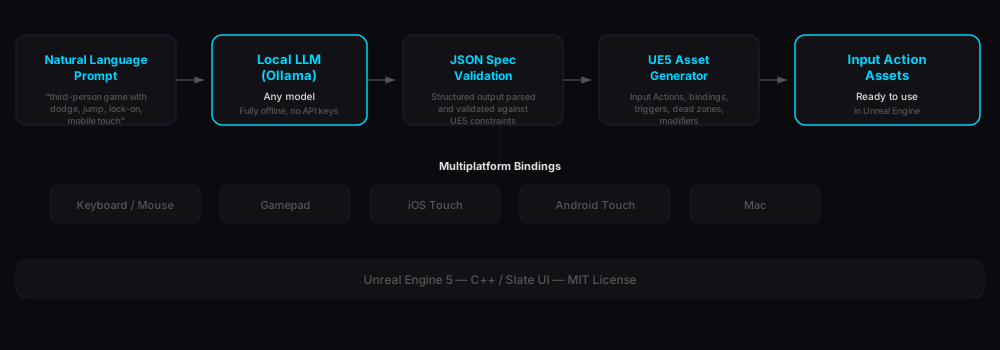
The plugin runs entirely local via Ollama. No API keys, no cloud, no data leaving the developer's machine. This was a deliberate choice: game studios won't send project details to external APIs. The LLM generates a structured JSON spec, not raw UE5 code. The plugin then validates and translates that spec into proper Input Actions with correct value types, triggers, dead zones, and platform-specific bindings. This separation means the LLM can make mistakes in the JSON and the plugin catches them before creating assets. Mobile touch support (virtual joysticks, swipe zones, gesture detection) was a key differentiator since most input setup tools ignore mobile entirely.
Outcome
Open-source UE5 plugin (MIT license) that reduces input system setup from hours to seconds. One natural language prompt generates a complete multiplatform input configuration (keyboard, mouse, gamepad, and mobile touch) with all settings correctly configured. Published on GitHub with Slate-based editor UI that fits natively into the Unreal Editor workflow.
System Architecture
Technical Highlights
Natural Language Input
Describe your controls in plain English — "third-person game with dodge, jump, lock-on, and mobile touch" — and the plugin generates all Input Actions with correct value types, bindings, and platform mappings.
Multiplatform
Generates bindings for keyboard, mouse, gamepad, and mobile touch simultaneously. Mobile support includes virtual joysticks, swipe zones, gesture detection, and tap inputs.
Auto-Configured Settings
Dead zones, triggers, axis modifiers, and accumulation behaviors are automatically set based on the action type. 2D axes get proper dead zones, bools get correct trigger types.
Local LLM via Ollama
Runs entirely on your machine with any Ollama model. No API keys, no cloud dependency, no data leaving your workstation.